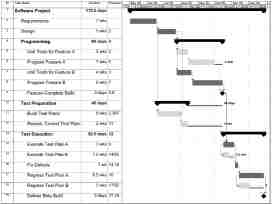
 This may sound blasphemous to a professional project manager, but it is possible to over-plan. I have seen it happen countless times. It begins with a project manager with moderate analytical tendencies (e.g., an engineer) who has access to that ubiquitous project scheduling program, Microsoft Project. Actually, it does not have to be Microsoft Project–any program with similar capabilities will yield the same results. Continue reading
Beating Loneliness
 Workforce Management today shares a couple of interesting ways for teleworkers to beat cabin fever. After all, spending every day working from home leaves many people feeling as though they’re gathering dust.
Jellies are small groups of freelancers, entrepreneurs, and telecommuters who get together with their laptops in groups of 15 or 20 to brainstorm with others in similar or even different fields. (Why “jelly?” For jelly bean, says the founder of the original one, Amit Gupta.) It’s a chance to get a fresh viewpoint and a fresh view. An employer of a telecommuter who participates in a jelly may find it advantageous or disadvantageous. The telecommuter should be warned about keeping company confidential information to himself rather than unwittingly sharing it in a brainstorming session with a competitor. A telecommuter could be lured away by a job offered through his jelly, but there’s an up side to that problem: he might also recruit good people for his employer.
A more traditional cure for cabin fever is “co-working” in a neighborhood office space set up for remote workers and entrepreneurs. Check out Workforce’s story on how a video game developer kept a senior programmer happy and productive in a remote office after he moved away for the sake of his wife’s job. For a small space rental, his company was able to provide an office environment that energized a productive worker who found that working from home drove him “stir crazy.”
Oh Baby
 Ask a Manager – one of my favorite blogs – has a pointer to this New York Times blog article about bringing babies to work. Not for a quick trip through the office to let everyone see the new addition to the family, but for an all-day camp out at the desk while a parent works. It’s an interesting twist on work-life arrangements to allow a new mom to juggle work and a babe successfully, but really, wouldn’t telecommuting from home be more effective for the parent, for the baby, and for coworkers?
Yammer
 While instant messaging between telecommuters can replace some of the teambuilding function of chatting around the coffee machine in the office, and can help a supervisor to see who’s (virtually) at work, it doesn’t quite meet the need for replacing the general in-office chatter that keeps a team together. I’d wondered about Twittering, but security requirements for many companies would make that impractical.
B-NET points out Yammer, a Twitter-ish micro-blog for use behind the company firewall. How about using this for team members to keep one another abreast of what they’re doing and to update supervisors on who’s accomplishing what?
I like the idea that workers could present a view of progress toward objectives rather than showing simple presence through an instant message client. It lets people update coworkers at their convenience, too, rather than requiring them to start a “look what I’m doing” live chat.
Would it work for you? If you’ve tried it, what do you think of it?
What he said
From the good folks at Lifehacker – who have all the great ideas for productivity in work and life – a pointer to this great Wired article about the effectiveness of telecommuting, including statistics from several research studies. Worth a look.
Plop!
 Imagine sitting in a meeting and someone is explaining the concept for the project when the loudspeaker blares, “Mr. Jones, Mr. John Jones, please call the operator.” Or in a phone conference, as a team is trading ideas,”Your meeting will conclude in 15 minutes.” Everyone stops speaking until the announcement finishes and then the discussion picks up where it left off. Now suppose that you’re part of such a discussion. Someone finishes speaking and you add your contribution. Everyone is silent as you speak. The next speaker replies, not to you, but to the person who spoke before you, as though you had been no more than a bit of stray noise on the line.
Virtual Assistant: Hire One, Be One
 Entrepreneur.com is talking about them. Employment Digest is talking about them. Tim Ferris, the productivity wizard of The 4-hour Workweek, recommends them, saying that “every facet of your life can be outsourced.” An entrepreneur can avoid hiring an extra employee by farming out administrative tasks to a virtual assistant. A admin assistant with an entreprenuerial bent can start a business working from home, choose how much business to take in, and enjoy the variety of work from multiple clients. Monster describes the career. It’s an interesting twist on telecommuting.
Two great uses for SR
 I have found two great uses of speech recognition for telecommuters. But, before I tell you what they are, I’d like to give you some background on my experience with speech recognition software.
My SR Learning Experience
My typing speed varies between 80 and 150 wpm, depending on how much sleep I’ve had the previous night and my caffeine intake at that point in the day. The more caffeine, the slower my net speed due to the increased frequency of the backspace key–the most used key on my keyboard. As you can imagine, this speed was taking a toll on my wrists. Since my job required me to write a great deal, I found I was starting to experience some repetitive motion pain. Before the pain turned to injury, I decided to give speech recognition (SR) software a try. I had already tried an ergo keyboard, which helped, but being the geek I am, I wanted to try out something I felt could really fix my problem. I figured, why type at all, when the computer (theoretically) could do it for me! Continue reading
Telecommuting in the Office
 Think no one is telecommuting because everyone’s present in the office? Think again. Listen to the office chatter. Workers with cell phones, browsers, and iPods are balancing work and life from the workplace.
“Seven fifty? In mint condition? Oh. Then how about six hundred?” They’re selling on craigslist, buying on eBay, and sealing deals by cellphone. “She didn’t have her homework done because we were on a trip last week.” “He’s violating the custody agreement and I want it stopped.” “It’s making this pinging noise, has been for the last thousand miles or so.” “Yeah, Saturday, at the brewpub at six.” They’re talking to accountants, repairmen, lawyers, friends. They’re friending on facebook and sending personal webmail. They work long hours. When else can they fit in personal business?
In a turnabout from taking work home, parents at work manage child care by cellphone. “No…no…I said NO. You may not take your sister’s game. It’s HER turn now. No. Later. I’m working now. Buh-bye. Hello. Again? Now what did I just tell you?” They take work home at night when there are critical deadlines. Why shouldn’t they manage a kiddie crisis from work?
An organization that has postponed setting telecommuting policies for effective work/life balance and performance measurement can’t wait. In our wireless world, telecommuting is already happening, one way or the other. Getting a handle on it in the office makes telecommuting from home just a small step further.
Knowledge Management for Virtual Teams
 Properly managed project documentation is critical for all types and sizes of projects. After all, the project documentation is the only real output from most projects. It is not the prototype that matters. It is the production documentation that includes things such as material lists, part drawings, assembly instructions, diagnostics, and source code that defines our products and services. I’m sure this is nothing profound to any of you. However, what you may not realize is that making it easy for everyone to find the latest version of a given document is especially important for virtual teams. Virtual teams often consist of people from different time zones or who work different schedules (i.e., a four-day week). As such, these teams rely more heavily on online sources of documentation throughout their work week. If they struggle to find the latest documentation on some aspect of the project that affects them, they’ll waste time sending e-mails, calling around or worse still, end up using an outdated version by mistake. Continue reading